
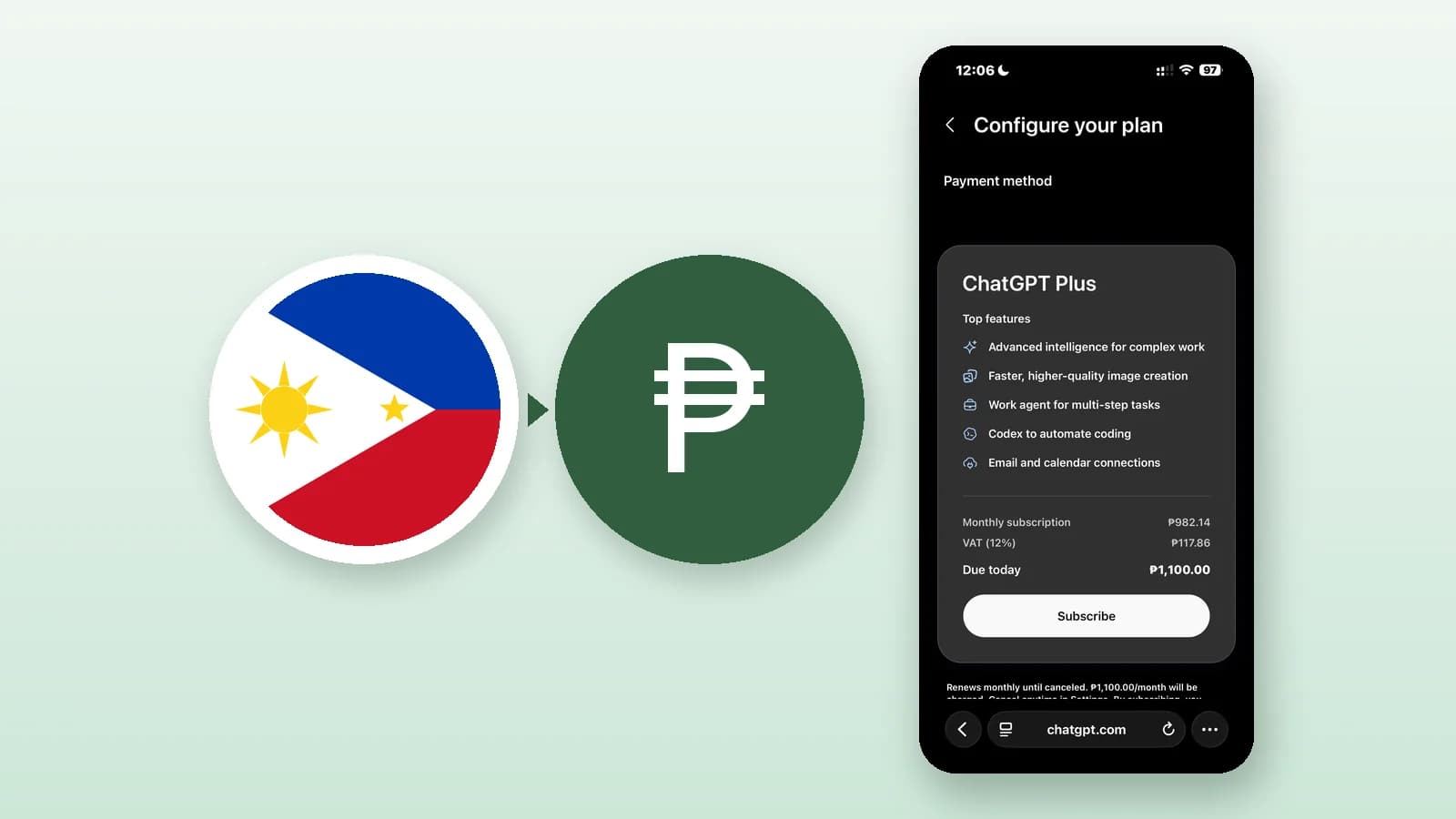
🥺 Philippines ChatGPT subscription issue:
We noticed reports from users that when subscribing to ChatGPT on our Philippines server, inaccurate IP location made the price show in Singapore currency. This issue has now been fixed.
SingLinkVPN has added a 🇵🇭 Philippines exit IP to Chain Proxy. You can now connect through the Chain Proxy exit to subscribe, 🥰 and ChatGPT will show the correct price in Philippine currency.
Exit IPs in 🇮🇳 India, 🇰🇷 South Korea and other regions will also go live later today to solve this kind of problem.
If you need this for another region, please contact the online support in the app. We will do our best to help you with your request.
This is an official notice!
How to use the Philippines exit on iPhone
The steps below use the iPhone app. Option names and locations may vary, so follow what your app shows.
Update and sign in: Install or update to the latest version from the SingLinkVPN download page, and sign in with a Plus, Pro, Max or Rich account.
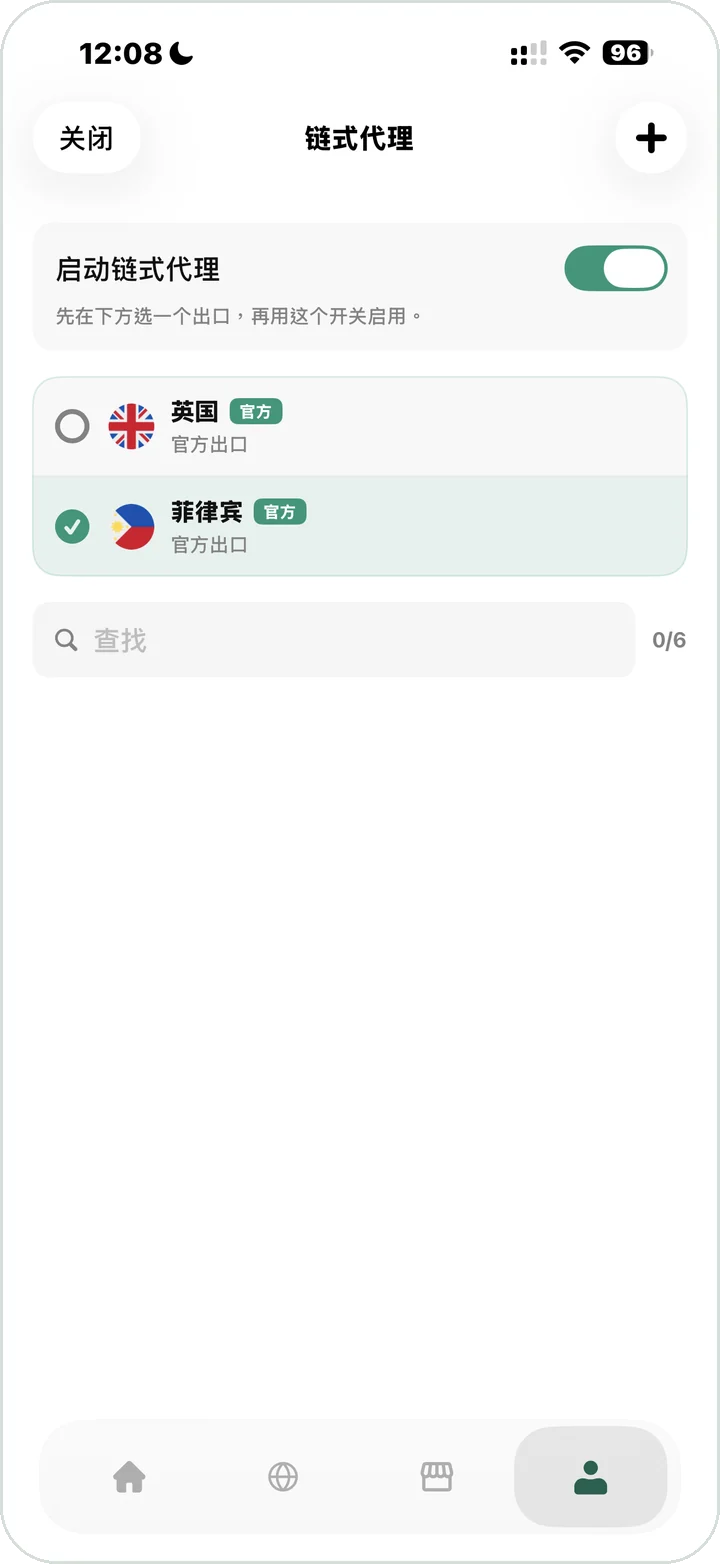
Open Chain Proxy: Tap the profile icon at the bottom right, then open Chain Proxy.
Choose the Philippines exit: Select Philippines (official exit) in the exit list.
Start Chain Proxy: Turn on the Start Chain Proxy switch. The app asks you to pick an exit first and then use this switch.
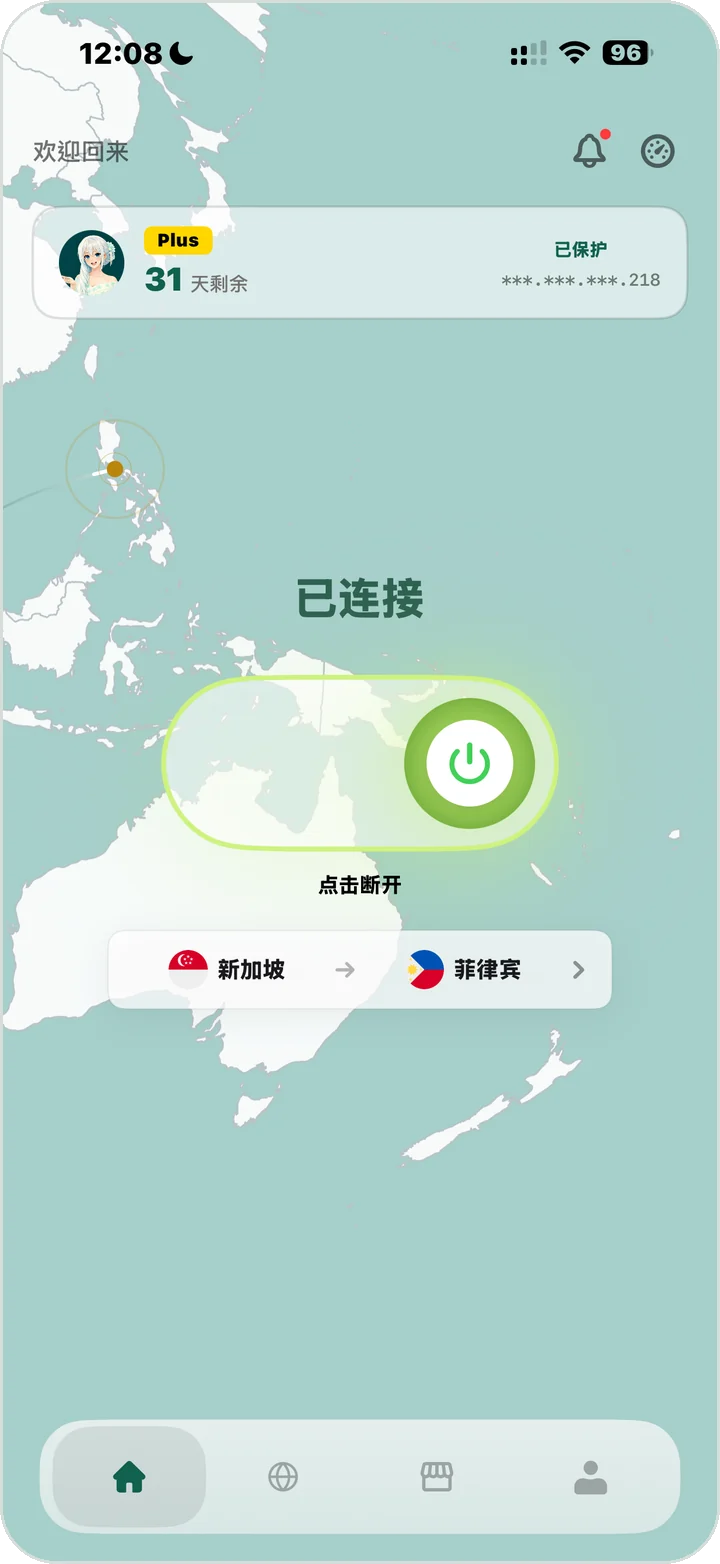
Connect: Go back to the home screen and connect. Once connected, it shows Connected and a two-part route such as Singapore → Philippines: the first is the main server, the second is the Philippines exit.
Open the ChatGPT subscription page: Open the plan upgrade page on chatgpt.com in your browser. Prices are shown in Philippine pesos (₱).
Tested on October 30, 2026 (route Singapore → Philippines): the ChatGPT Plus Configure your plan page showed a monthly subscription of ₱982.14, VAT (12%) of ₱117.86, and ₱1,100.00 due today.
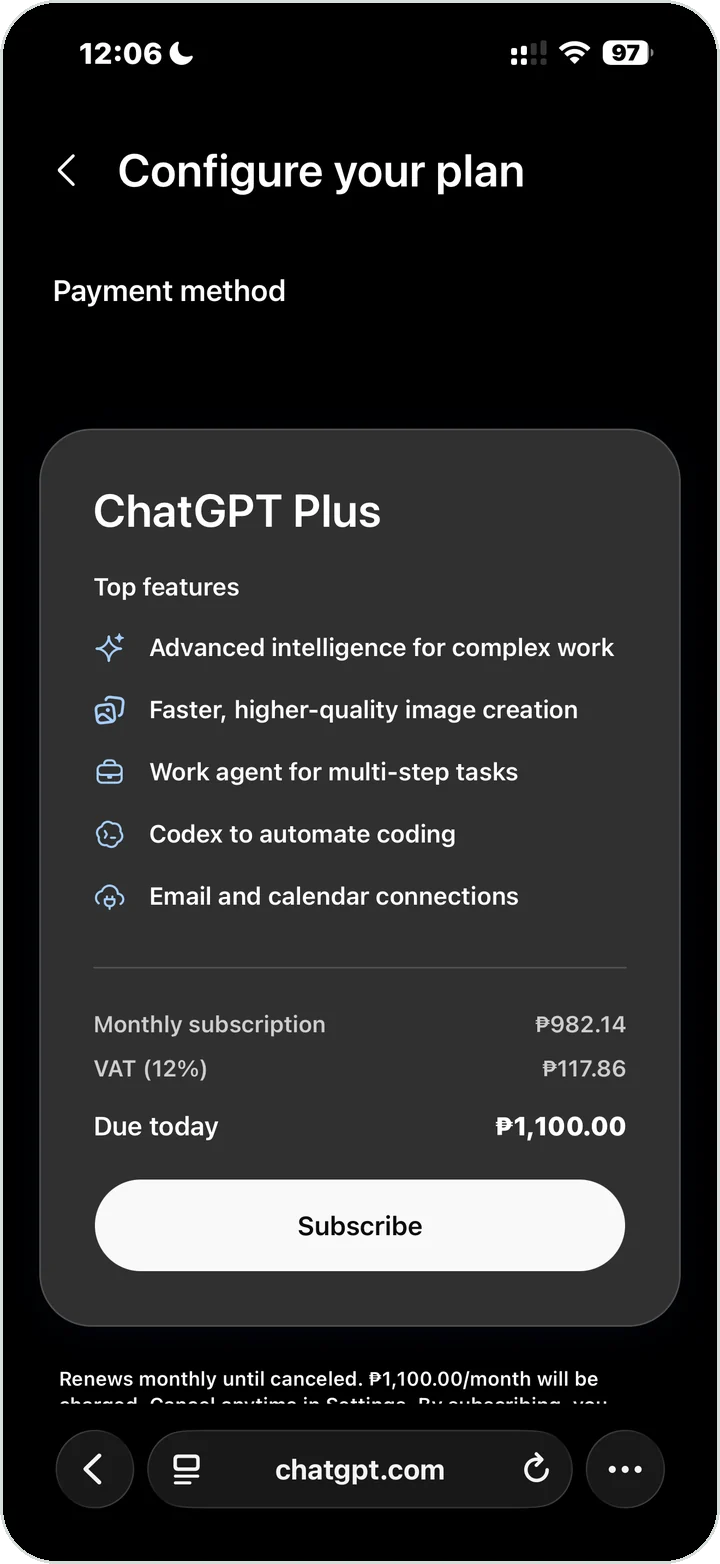
Prices, taxes and currency are set by OpenAI and may change over time or depend on your plan and account; the figures above are only what the page showed that day. Please follow OpenAI's terms of use and payment rules when you subscribe.
How does Chain Proxy do this?
Chain Proxy lets a SingLinkVPN server carry the main connection, then uses the exit you choose as the final public exit: phone → SingLinkVPN server → Chain Proxy exit → internet. You can pick the main server for connection quality, while the IP that websites see is decided by the exit.
Frequently asked questions
Do I need to change my main server?
No. Keep choosing the main server for connection quality, such as Singapore; the IP ChatGPT sees comes from the Philippines exit in Chain Proxy.
Which plans include Chain Proxy?
Plus, Pro, Max and Rich include Chain Proxy; the free plan and the Fast plan do not. See SingLinkVPN plans and pricing for details.
Will ChatGPT always show Philippine pesos?
SingLinkVPN makes sure your public IP comes from the exit region you choose; the currency and prices on the subscription page are decided by OpenAI. If you still see another currency after following the steps, contact us through the in-app online support and include a screenshot.
Which other exits can I choose?
When these screenshots were taken, the app had official exits in the United Kingdom and the Philippines, and exits such as India and South Korea are being rolled out; check the exit list in the app. Chain Proxy can also use your own SOCKS5 proxy; see the mobile Chain Proxy SOCKS5 guide.